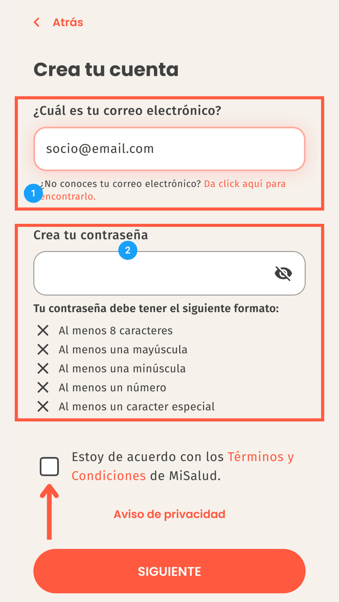
- Write your/an email on the top space and create your password on the bottom one, following the restrictions mentioned below.
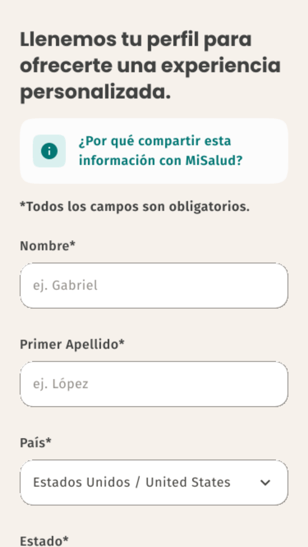
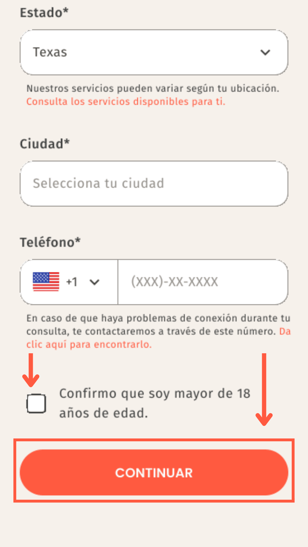
- Complete your personal information using a name, last name, country, state, city and lastly your cellphone number. Don't forget to fill the checkbox before clicking next.
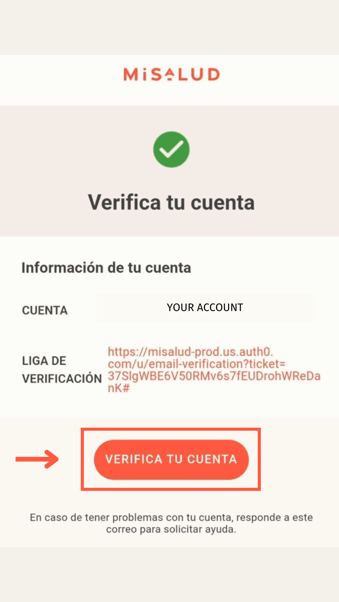
- You will receive a confirmation email from MiSalud, once you open it click on confirm my account.
- ¡You're all set! Schedule your first consultation and try it out.
English