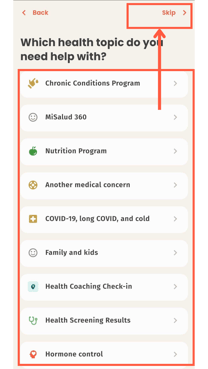
1. Click on "schedule a consultation". After that, choose between physical or mental health. Then choose "skip" or any topic you're interested in having a consult.
(You may see different topics available to you depending on your invite code)


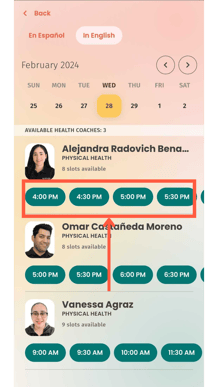
2. Go ahead and choose the MiSalud care team member at the date and time you would like to have your consultation.
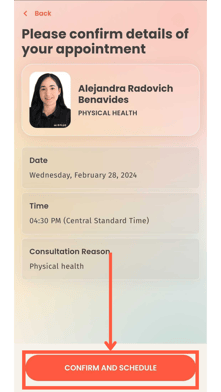
3, Once you chose your consultation, click on "confirm and schedule".
4. Perfect! Now you have a scheduled consultation.
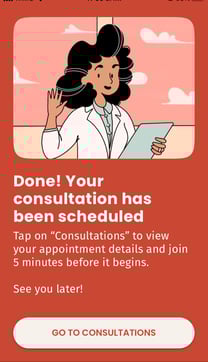
5. To enter your consultation, you will receive a text message 5 minutes before the consultation starts. Open it to enter directly to the consultation.